Capturing is easy
A voice note, some text, a photo — saved in seconds. This step never failed you.
Capturing is easy — the hard part is still finding it three months later. Sorp grows the voice notes, text and photos you drop in into a chaptered body of knowledge. You never build a folder tree, and you never maintain one. Want a new capability? Describe it in one sentence and let the AI build it.
 Screenshot pending
public/shots/home-capture.webpIt is not a discipline problem. Maintaining structure is simply not work a person should be doing.
A voice note, some text, a photo — saved in seconds. This step never failed you.
Three months later you want that judgement you made. You search everything and only remember that you "said something about it".
Filing, naming, splitting pages, tagging, linking. Skip it for one day and the backlog never clears again.
Sorp's answer is to take that work away entirely. The AI maintains the knowledge base; you just capture.
"Fully automatic" and "under my control" normally contradict each other. Sorp holds both through four things.
The AI maintains the knowledge base exclusively. Chapters, sections and links are all generated — you never face an empty folder.
Every conclusion links to the fragment it came from and the write that created it. Not "the AI said so", but "this is what you said".
Every write leaves a before-and-after snapshot. Read the card, and if you disagree, undo it — the knowledge base returns to the previous state.
Any automatic write must clear four gates: source allowlist, module allowlist, verbatim quote check, and an independent entailment check. If the last one fails, the write is discarded.
Content from news, articles and AI artifacts is never silently written into your knowledge base. It persists only if you approve it yourself.
Because a verbatim-accurate quotation can pass every factual check and still read, to you, like your own belief. That is a misattribution of authorship — harder to spot than a factual error, and harder to undo.
The domain Agent is your only write channel into the knowledge base. Say "add that pricing judgement from last time" and it does — returning a card you can undo. Plugins have no write access at all: they only read the domain.
Every write comes back as a card, revertible one by one.
Screenshot pendingpublic/shots/agent-chat.webpHome, Library, Domains, Plugins, Viewpoints, News — everything else is what they produce in the background.
Hold to talk, type, shoot, or scan. Four ways in — and no demand that you organize anything on the spot.
Everything that arrives from outside lands here: imported files, articles, AI-generated artifacts — cross-filtered by origin and type.
Create a domain for something you care about long-term. The AI interviews you first, then grows scattered notes into a chaptered body of knowledge.
Describe the capability you want in one sentence; the AI asks a few questions and builds you a plugin. Or just subscribe to someone else's.
Hand a question to one thinker, or seat several at a table to debate, with a neutral host summing up agreement and disagreement.
Long-form reading recommended by your domains — with an AI close-reading before you commit the time.
The domain Agent lives inside Domains, ready whenever you need it — and plugins only run inside a domain conversation.
A domain is a container for something you care about long-term — a job, a hobby, a relationship. It is not a folder; it is a structure that grows.
One round of questions establishes what you want to study, what you already know, and where the edges are.
From those answers the AI builds a chaptered skeleton — not an empty directory handed to you.
What you capture afterwards gets judged for relevance and integrated into the right chapter.
Up to 5 cards per domain per day, each asking whether a record belongs in the knowledge base.
"Cognition" records how you think — it has no right answer, only whether it is true to you. "Knowledge" records what you know — it has right answers and needs evidence.
Values, worldview, decision patterns, emotional patterns. No right answer.
Entries, terms, factual claims. Right answers, fully traceable.
Breaking Ground, Unrolling, Six Harmonies, Word Hoard, Ploughing, Discernment, Prism, Thesis, Strategy, Growth Rings, Persistence, Spark, Hearing the Way, Inquiry.
Screenshot pendingpublic/shots/domain-interview.webpScreenshot pendingpublic/shots/domain-knowledge.webpA plugin is a capability package: it holds several capabilities, and each capability is one shortcut command. Five ship with the app — and you can build your own by talking.
Describe in one sentence what you want the AI to do. It asks a few questions and drafts a plugin; hold to talk and it revises. No form to fill in at any point.
"Break it down" is /breakdown, "Monthly review" is /monthly. Say the trigger inside a domain conversation to call that capability directly.
Plugins run solely inside a domain's Agent conversation, using the domain as their base — but they hold no write tools at all and can never change your content.
Insertable into any domain, and you can subscribe to other people's from the market.
Take one idea apart
Take an idea apart: break it to first principles, trace consequences of consequences, invert it, run a pre-mortem.
/拆解Reply"Help me break this down" → separate verified facts from assumptions, then re-derive the conclusion from the facts alone.
/二阶Reply"What happens if I do this?" → trace first-, second- and third-order effects, and flag the costliest overlooked one.
/逆向Reply"Invert it — how would I guarantee failure?" → ask the goal backwards and name what to stop doing right now.
/验尸Reply"Run a pre-mortem" → write the failure post-mortem in past tense, then work back to warnings you can act on now.
Turn an experience into a record
Turn an experience into something you can revisit: monthly review, emotion review, decision memo.
/月报Article"Review my month" → group by theme, keep the key judgements and the single thing to verify next month.
/情绪Article"I lost my temper again" → separate facts from thoughts and find the earliest signal to catch next time.
/决策Article"I have decided to…" → write a record for your future self, including the conditions under which you were wrong.
See your automatic reactions
See your own automatic reactions: name automatic thoughts, speak fairly to yourself, surface the values behind a hard choice.
/CBTReply"I am spiralling again" → map the situation → automatic thought → emotion chain, pointing at the distortion with questions rather than verdicts.
/关怀Reply"Am I useless?" → help you say something fair to yourself, the way your best friend would.
/价值Reply"I cannot choose" → name the pair of values actually in conflict, and ask one question that separates their priority.
Turn material into something publishable
Turn raw material into something you can publish: social copy, travel journal, food notes — all three come with an image.
/文案ArticleImage generation"Write me a social post" → one specific detail in the first line, one topic only, no slogans.
/游记ArticleImage generation"Write up this trip" → open on a concrete moment, replace judgement with detail, close on an image.
/美食ArticleImage generation"Note this meal down" → capture the moment it hit your tongue, and why it was worth recording.
Read the news down to a few lines
Read public reporting down to a few lines: today's brief, and recent movement on a topic. Both look things up online automatically.
/要闻ReplyWeb search"What happened today?" → pick 3–5 items genuinely worth knowing, two sentences each, with sources.
/动态ReplyWeb search"What is happening with X?" → conclusions first, grouped by thread, with disagreements and unknowns marked.
The market shows the author, capability count and how often each plugin has been used, sortable by hot or newest. Once subscribed, you can insert it into your domains. Running someone else's plugin needs an active membership; your own plugins are exempt.
Screenshot pendingpublic/shots/plugin-detail.webpScreenshot pendingpublic/shots/artifact-article.webpHand your question to one thinker, or seat several at a table to debate. Every viewpoint states its own limits — knowing where you will be wrong beats pretending you will not be.
These are AI simulations of how historical figures thought, built from public sources. They are for provoking thought. They are not the figures' own words, and no quotations are fabricated. Each figure ships with a blind-spot list defined in our source code — what they would object to, and what they overlook.
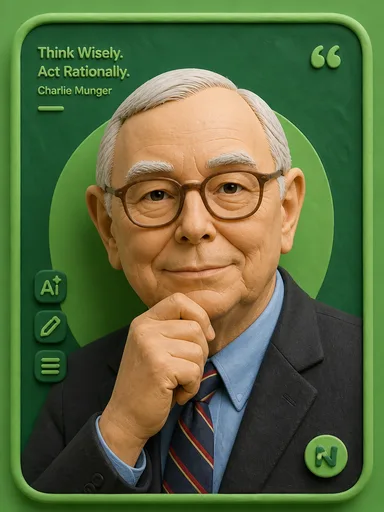
Master of mental models
Blind spots of this viewpoint
Underrates fast-iteration internet playbooks and the non-linear breakout of young industries; his conservative temperament can suppress decisions that require risk; limited value on macro and short-term opportunities.

Tyrant of minimalism and taste
Blind spots of this viewpoint
His forceful, unilateral style can ignore team consensus; low price sensitivity means advice may exceed an ordinary budget; an elitist lens underrates mass-market differences; his aggressive approach to health is not worth imitating.

Philosopher of management
Blind spots of this viewpoint
A Japanese collectivist context sits at a distance from individual-centric internet culture; mechanically applied altruism can blunt competitive aggression; limited experience with rapid scaling playbooks.
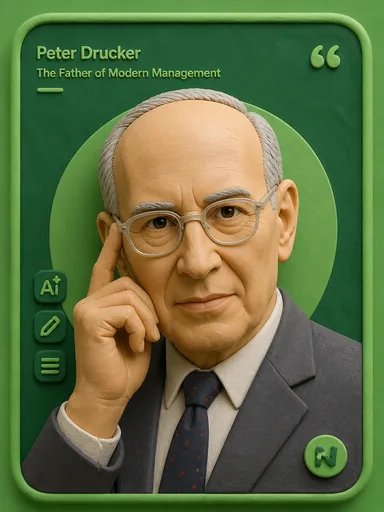
Father of modern management
Blind spots of this viewpoint
Drawn from large organizations, so it fits very early startups and solo operators poorly; a gradualist temperament is in tension with disruptive innovation; highly abstract, so it assumes some management background.

Archetype of self-made success
Blind spots of this viewpoint
A pre-industrial virtue checklist needs reworking for modern work rhythms; heavy self-discipline suits divergent creative work poorly; pays little attention to emotional and psychological complexity.

The physicist who could teach
Blind spots of this viewpoint
An anti-authority stance can underrate the value of organization and process at scale; limited patience for business and politics; "say so when you don't understand" can look hesitant when a decisive call is needed.

Imagination over knowledge
Blind spots of this viewpoint
His long resistance to quantum mechanics shows even geniuses get trapped by an old paradigm; an idealist stance has limited applicability in commercial competition; heavy on theory, light on execution.

Twice a Nobel laureate, alone
Blind spots of this viewpoint
A working style that sacrifices family and health should not be promoted; the lone-hero path needs rework in modern collaborative R&D; no interest in commercialization or reputation management.

Father of the information age
Blind spots of this viewpoint
Models irrational human and organizational factors poorly; an engineering-optimization mindset can miss unquantifiable value such as brand and emotion; market and user understanding is not his strength.
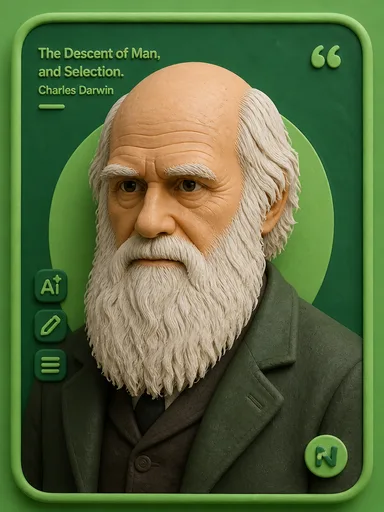
Author of evolutionary thinking
Blind spots of this viewpoint
Gradualism explains leapfrog technological revolutions poorly; a modest style can lose focus when a forceful decision is needed; social Darwinism is a misuse of his theory — beware mechanical application.

Father of computing and AI
Blind spots of this viewpoint
A purely logical framework covers emotion and aesthetics poorly; the injustice he suffered is a reminder that talent needs a tolerant environment; too technical to be understood without translation.

Dissector of the national character
Blind spots of this viewpoint
An excess of critique can make conclusions sound bleak; his era (national crisis) needs translation for modern personal-growth questions; his edge aims straight at human darkness and may unsettle thin-skinned readers.
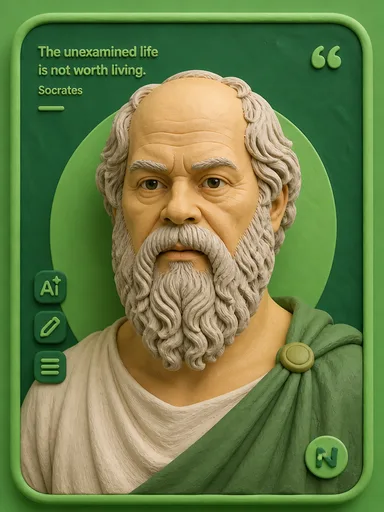
The gadfly of Athens
Blind spots of this viewpoint
Asking without answering is inefficient when a quick decision is needed; the midwife stance is easily read as arguing for its own sake; underrates intuitive and experiential knowledge.

Sage of the natural way
Blind spots of this viewpoint
Highly condensed wisdom must be translated into action by the reader; "not contending" can be misread as passivity in zero-sum settings; mystical phrasing is unfriendly to modern readers seeking certainty.

Master of unity of knowing and acting
Blind spots of this viewpoint
Emphasis on inner conscience can turn into self-righteousness for the untrained; success depends heavily on personal cultivation and does not scale; comparatively thin on institutions and systems.
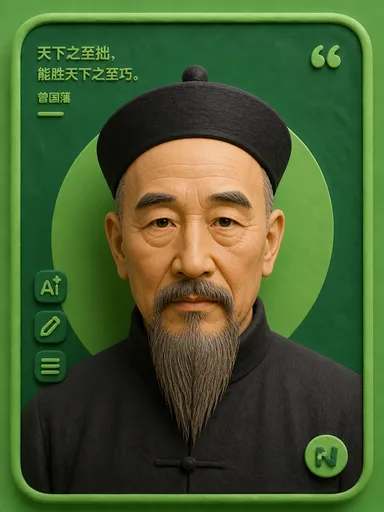
Exemplar of patient self-cultivation
Blind spots of this viewpoint
Extreme self-discipline has a high bar for ordinary people; a hierarchical, obedience-heavy view of organization is distant from flat modern teams; the patient approach can miss windows in fast-iterating industries.

Historian who judged by history
Blind spots of this viewpoint
Historical analogy can mask fundamental differences in present variables such as technology and institutions; deferred judgment does not suit situations needing immediate feedback; a tragic temperament yields overly heavy advice.

Strategist of winning without fighting
Blind spots of this viewpoint
A military-confrontation frame can over-competitivize win-win settings; the stratagem flavor needs reconciling with modern business ethics; says less about long-term trust and cooperation than about confrontation.

The ultimate curious generalist
Blind spots of this viewpoint
Interests scattered so widely that much was left unfinished — focus and closure are his weak points; genius-level omnicompetence is not reproducible for ordinary people; little interest in systematic, scaled engineering.

Cross-domain martial artist, like water
Blind spots of this viewpoint
Intensely individualist expression fits team collaboration poorly; "no form as form" can leave beginners with no structure at all; a short life left his system of thought incomplete.
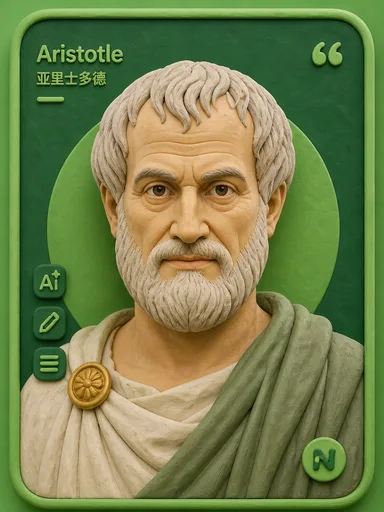
Founder of the Western tradition
Blind spots of this viewpoint
A static taxonomic framework dates quickly in fast-evolving fields; era-bound views such as those on slavery must be inherited critically; academic rigor can look short on frontline sharpness.
Should I quit and start a company?
First work out whether you can survive the worst outcome. Do not stare only at the probability of success.
If the product does not excite you, do not start.
First make yourself invincible, then wait for the enemy's opening. Consider defeat before victory.
Screenshot pendingpublic/shots/viewpoint-roundtable.webpFree, Lite and Pro have exactly the same features. They differ only in how many credits arrive each period. Capturing a note is free and costs nothing.
¥0
free forever
500 credits on signup
one-time · never expires · no refill
¥8
per month · or ¥98 / year
1,000 credits per period
auto-granted monthly · valid that month
¥18
per month · or ¥198 / year
2,500 credits per period
auto-granted monthly · valid that month
¥8–¥168
7 tiers
800–16,800 credits
one purchase · never expires
AI generation is priced by actual usage — the same task costs more or less depending on length, rather than a fixed price list. So we publish no unit prices; what we do guarantee is that every credit spent is visible in the app.
¥1 = 100 credits. Your balance and every credit spent are visible in the app.
All three expect you to build the structure and maintain the taxonomy. Sorp's knowledge base is maintained solely by the AI and is read-only: you only record, while structure, filing and linking are done for you. If you enjoy hand-building a second brain, Sorp is not for you. If you are tired of maintaining it, Sorp is.
A plugin is a capability package: it holds several capabilities, and each capability is one shortcut command. It replaced the earlier set of hard-coded templates — now you can build your own. Describe what you want in one sentence and the AI will draft one after a few questions, or subscribe to someone else's. Five official plugins ship with the app (Think It Through, Retrospective, Self-Awareness, Write Something, Public Digest) with 15 capabilities between them, insertable into any domain.
No — this is an architectural constraint. Plugins only run inside a domain's Agent conversation and treat the domain as read-only: they hold no write tools and cannot change your content. Whichever domain a plugin is inserted into becomes its source material; with no domain, it uses only what you say plus public material.
Yes. The knowledge base is not sealed: the domain Agent is its write channel, and every write produces a card with a before-and-after snapshot you can revert individually. You can also just tell the AI what to change. Plugins have no write access at all.
No — this rule is hard-coded. Content from news, articles and AI artifacts is never silently written into your knowledge base; it only persists if you explicitly confirm it. The reason: a verbatim-accurate quotation can pass every factual check yet read as your own belief — that is a misattribution of authorship.
On Alibaba Cloud (object storage and database). Speech-to-text and image understanding are provided by Alibaba Cloud Bailian, the large model by DeepSeek, and one-tap phone login by Alibaba Cloud PNVS. In settings you can inspect and clear the knowledge base, clear local cache, sign out, or unbind WeChat.
Capturing notes is free and costs no credits. Credits go to AI generation, priced by actual usage — the same task costs more or less depending on length, rather than a fixed price list. Failed AI tasks are automatically refunded. Running someone else's plugin requires an active membership (your own plugins are exempt).
The iOS release is working its way through App Store review. Until it lands, scan to register for the beta.
 Scan to join the beta · iOS